Doing a test
In case of STpad, make sure that the STbench is connected to the device (for more information, see “Measuring Devices”).
In the Home page, tap Isolated mode > Torque. The following is displayed:
In the Select transducer window, select the transducer to use during the test.
The following Torque page is automatically displayed:
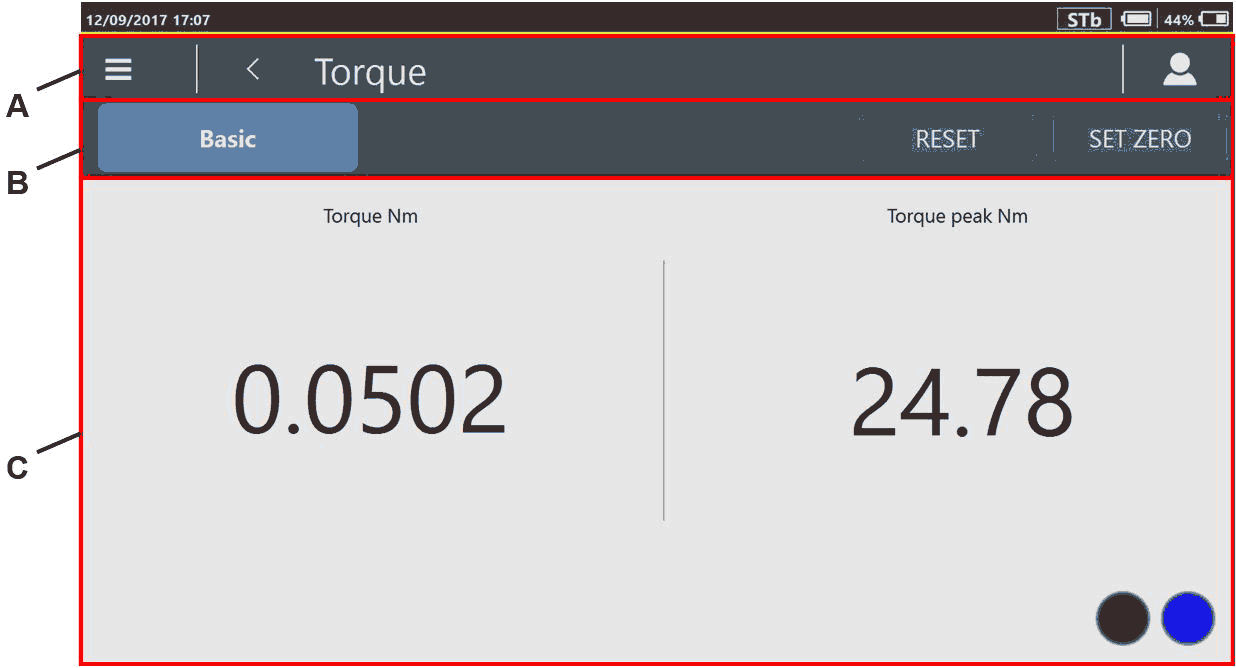
B
Reset / Set Zero
C
Results section
To set the Torque peak value to 0 N·m, tap Reset.
To set the measured Torque value as reference point, Tap Set zero.
The Free track test result section is as follows:
Torque (N·m): torque measured during the free track test.
Torque peak (N·m): torque peak measured during the free track test.
 : the STbench is ready for a new result.
 : the STbench is working (it is either doing a result or sending a trace).

Apply torque either clockwise or counterclockwise. Torque applied in counterclockwise direction gives negative torque values.









































