Editing a Route
From the Route page, tap an existing route.
The following is displayed: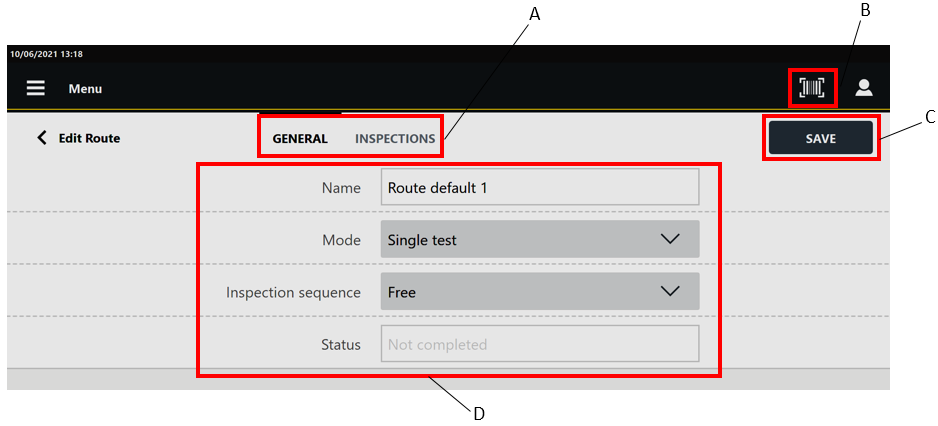
A
Categories
B
Barcode button
C
Save button
D
Parameters
In the Edit route page, edit the Route parameters according to customer needs.
In the General category are displayed the parameters of the route.
In the Inspections category, it is possible to delete the inspections linked to the route.In the upper-right corner of the Edit route page, tap Save.
When enabled by external software, the Barcode button ( ) allows to scan a barcode to search the corresponding inspection(s) inside the Route. If the search finds a single inspection, it is automatically run; if the search finds multiple inspections with the same barcode identifier, run the inspection of interest from the list.

The Barcode button is available only for Free routes.









































