License
On the left side of the Toolbar, tap the Menu icon ( ) > Configuration > Maintenance > License. The following is displayed:
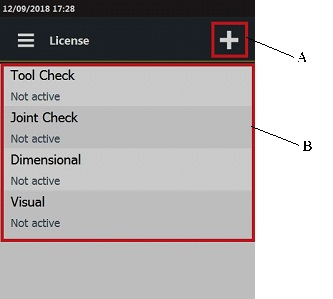
A | Add button | B | Licenses list |
In each row, the following information are shown:
License type. The available licenses are: Tool check, Joint check, Dimensional, Visual.
Status of the license. If the license has been activated, the status is Active, otherwise the status is Not active.
In this Section









































