Battery State of Charge indicators
The LED indicators on the battery indicate the State of Charge (SOC) of the battery. To activate the LEDs, press the button placed on the battery.
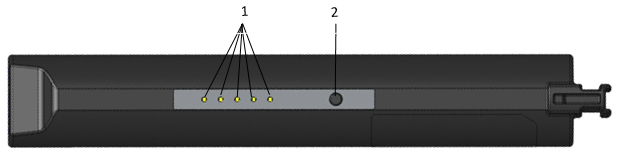
1 | LED indicators | 2 | Button |
The LEDs indicate the remaining capacity of the battery as follows:
Battery charge indicator | Remark |
|---|---|
1 LED | Empty (0%-15%) |
2 LEDs | Nearly empty (15%-21%) |
3 LEDs | Low (22%-34%) |
4 LEDs | Medium (35%-89%) |
5 LEDs | Full (90%-to 100%) |









































