Resetting a Route
On the upper-right corner of the Route page, tap Select . The following is displayed:
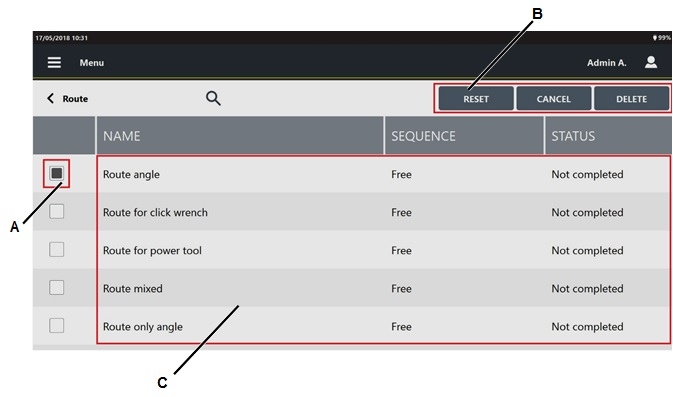
A
Route check box
B
Command buttons
C
List of Routes
Select the check box(s) of the route(s) to reset.
On the right of the "Selecting a Route" Toolbar, tap Reset.

By resetting a route, the status of the route becomes "Not completed" and it is possible to run it again.
The results saved before the reset are not deleted.
All the traceability tag are reset.









































