Importing routes on the device
Configure the routes to import in the file Template file for routes (for more information, see the paragraph Adding Route(s) through the Template file).
Insert the USB memory stick into the USB port of the device.
From the Home page, tap Configuration > Import / Export > Import routes.
Tap Import file. The message If you continue, the route list will be updated with the imported one. Do you want to continue? is displayed.
Tap OK to update the route list with the imported routes.
At the end of the import process, the following is displayed:


If the rules given in the paragraph “Adding Route(s) through the Template file” are not followed, at the end of the import process the Import results window displays both OK results and NOK results:
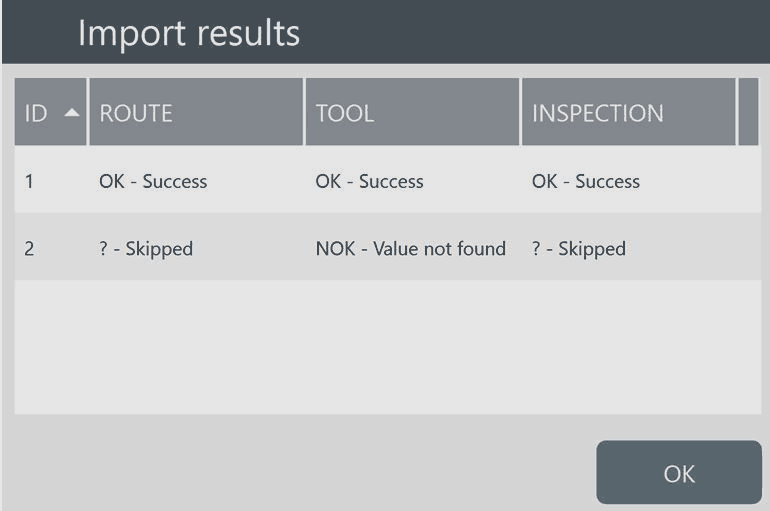
In the above example, Route 1 is OK; Route 2 is skipped as it does not complies with the rules for the template file for routes.
Tap OK to complete the import process.









































