Deleting a Route
On the upper-right corner of the Route page, tap Select . The following is displayed:
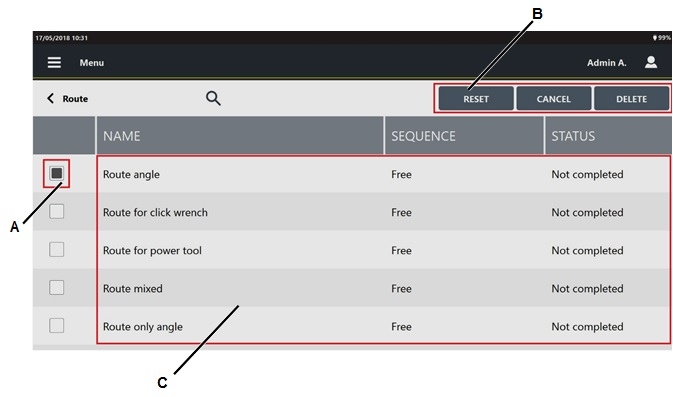
A
Route check box
B
Command buttons
C
List of Routes
Select the check box(s) of the route(s) to delete.
On the right of the "Selecting a Route" Toolbar, tap Delete.









































