Adding a Trace
In the Home page, tap Configuration > Main data > Traces.
On the upper-right corner of the Trace page, tap Add.
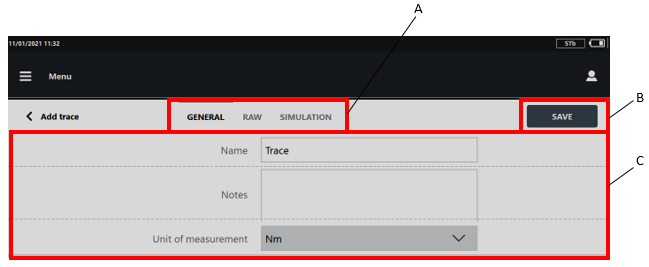
A
Categories
B
Save button
C
Parameters
In the General category, configure the general parameters of the trace.
In the upper part of the Add trace page, tap the Raw category and import and/or acquire up to 10 traces. Then, select the raw traces to process.
In the upper part of the Add trace page, tap the Simulation category and adjust the parameters of the simulated curve if necessary.
On the upper-right corner of the Add trace page, tap Save.









































