SP Firmware update
To get the optimum performance from our new SP700 smart pump, we have introduced a software upgrade which is available on marketing and support portal to download from the product news section. You need to copy this software on a micro SD card and follow below procedures.
Software update procedure
Tools required
2.5 mm allen key
Flat face small screwdriver
Micro SD card with new software file only. Do not change name or add any other file in card
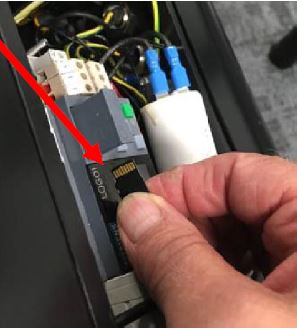
Card fits with label printing facing downward and contact points upward
Open the control box. Pull off the tray bay to get the access to the memory card slot
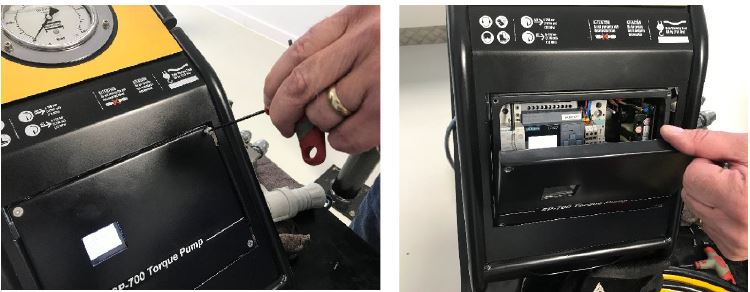
Insert the micro SD card and close the tray

Insert the micro SD card with print label faces down

Switch off the pump and unplug it from main supply

Switch on the pump
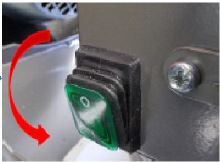
The firmware is automatically updated during the starting process. you can remove the micro SD card.
Check if new software has been uploaded successfully
Keep power on then put the breaker switch down in off position

Press Esc + Down arrow buttons together
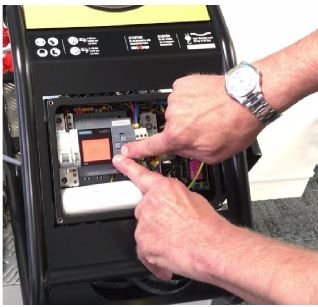
Check the new FIRMWARE version installed in display, to go back to main menu, press ESC + UP arrow together

In case you find the FIRMWARE is still the old version then either it was not installed properly or your file is an old version. You can open file on your PC with MS Notepad and scroll right to see the Firmware version. Latest version is 2.5.









































