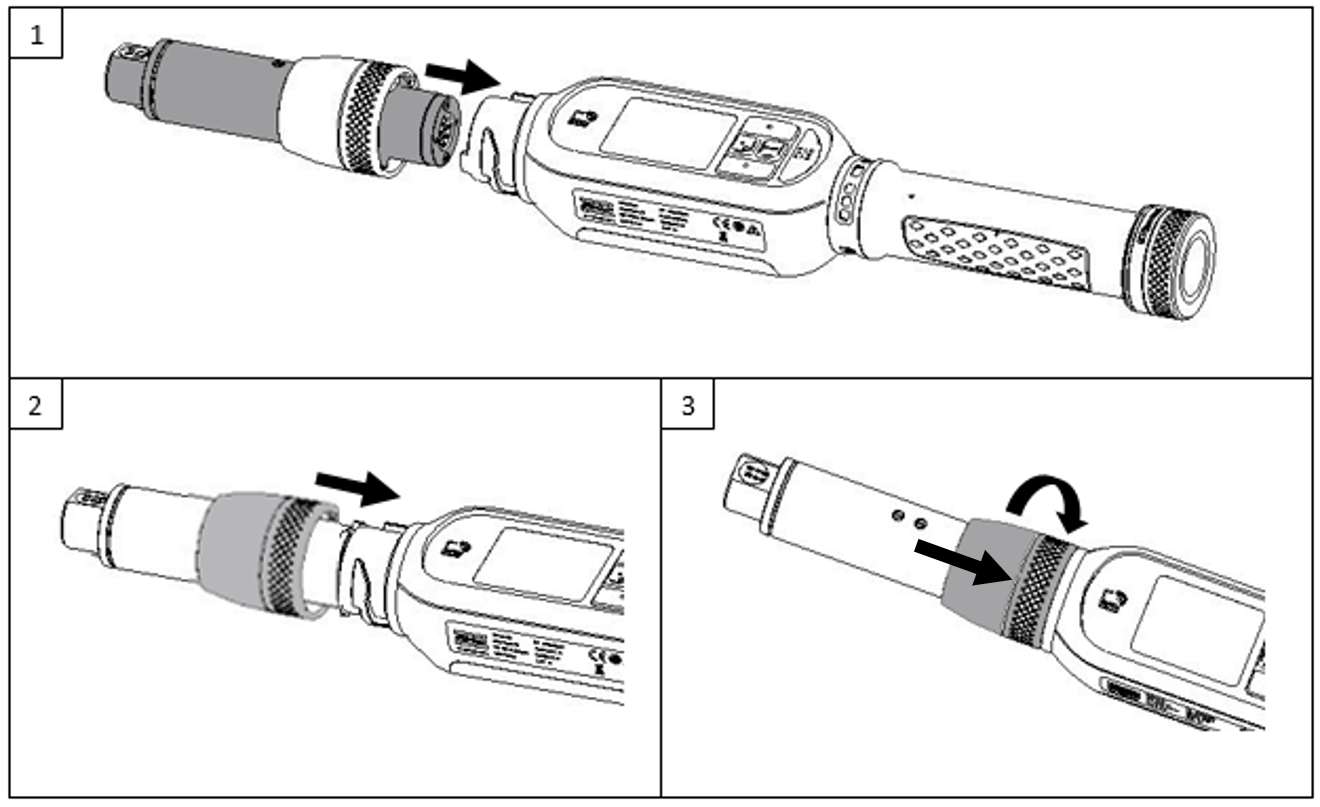
Attaching the smartHEAD
Switch off the wrench. Then, attach the smartHEAD to the wrench controller.

To optimize the vision of the EHMI during operations in special circumstances, the smartHEAD can be attached in 4 positions, each at 90° rotation.
Pull down the ferrule.
Rotate the ferrule clockwise while pushing it down to fasten the smartHEAD to the wrench controller.