Available Result Views
By selecting the right and left arrows in the result dialog box, the different result views can be stepped through. This section describes the different result views in detail.
Result View 1: Result in Numbers
The first window displays the result in numbers:
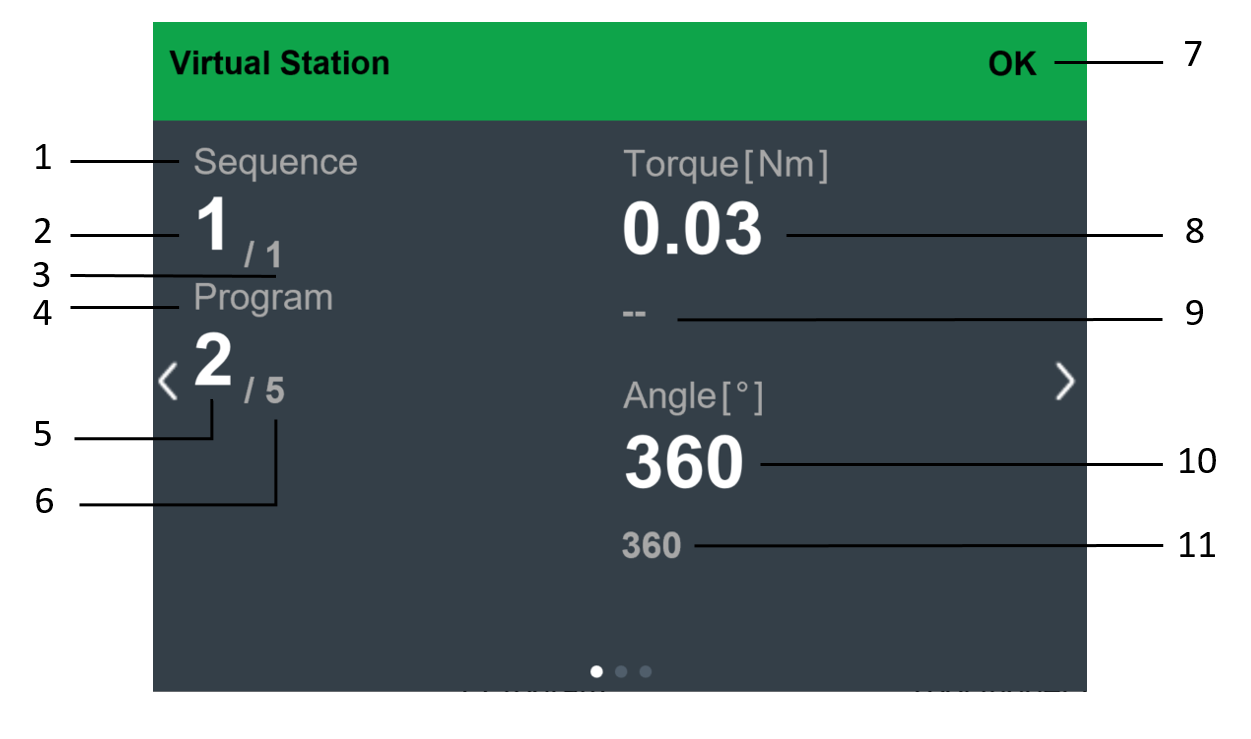
Position | Description |
|---|---|
1 | Batch sequence name |
2 | Number of completed batches in the sequence |
3 | Total number of batches in the sequence |
4 | Tightening program name |
5 | Number of completed tightenings in the batch |
6 | Total number of tightenings in the batch |
7 | Result status |
8 | Tightening result |
9 | Target torque |
10 | Tightening result |
11 | Target angle |
Result View 2: Extensive Results
The extensive results views will display some additional tightening results.

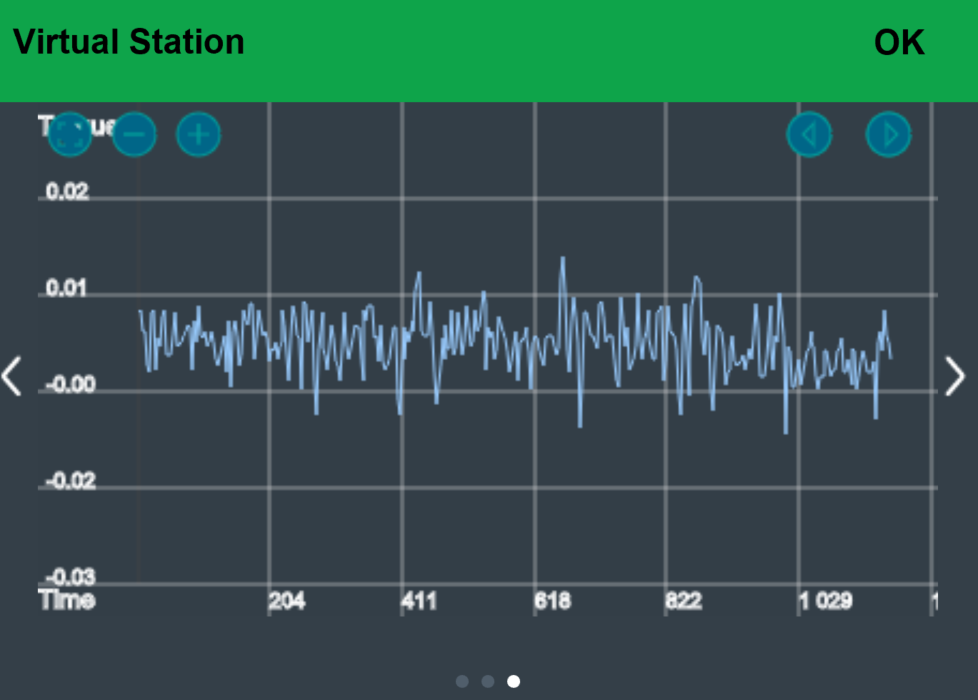
Result View 3: Trace Result
With the view, one can learn better how the tightening behaves, in order to make adjustments to the tightening program. Depending on the tightening strategy, the trace will display different tightening parameters.
The trace result is available as different graphs:
torque/time
angle/time
torque/angle
current/time
current/angle