Editing a Part
From the Parts page, tap an existing part.
The following is displayed:
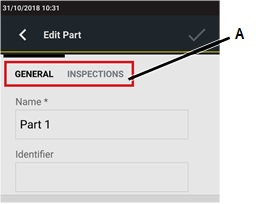
A
Categories
In the categories (General, Inspection) of the Edit part page, edit the necessary parameter(s) according to customer needs.
On the upper-right corner of the Edit part page, tap the Save icon (
 ).
).
The Save icon is available after one item has been edited.









































