Adding a Part
In the Home page, tap the Menu icon (
 ). Then, select Parts.
On the upper-right corner of the Parts page, tap Add icon (
 ). The following is displayed: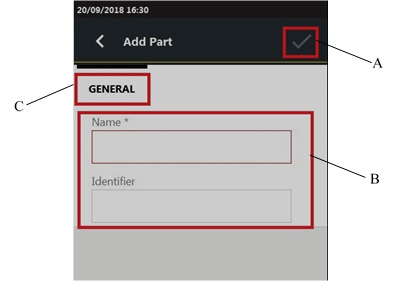
A
Save button
B
Parameters
C
Categories
In the Add part page, configure the part parameters.
On the upper-right corner of the Add part page, tap theSave icon (
 ).
).
The Save icon is available after all the require items have been completed.









































