Creating Measurement Reports
On the Results pane, select a specific result or set of results and click on the Export button.
Select the option Create selected verifications pdf; the Verification Report Information dialogue appears.

Parameter
Description
Customer information
Information related to the customer.
Customer row 1-4
This information will appear at the top right corner of the report.
Tested device id
This information will appear under the tool information and, if the customer has their own id for the tool, it can be entered here.
Service center information
Information related to the service center.
Service row 1-4
This section appears in the middle of report footer. These fields have memory, so the information only needs to be entered once.
Insert the relevant information in the boxes.
Click on Generate to get a report.
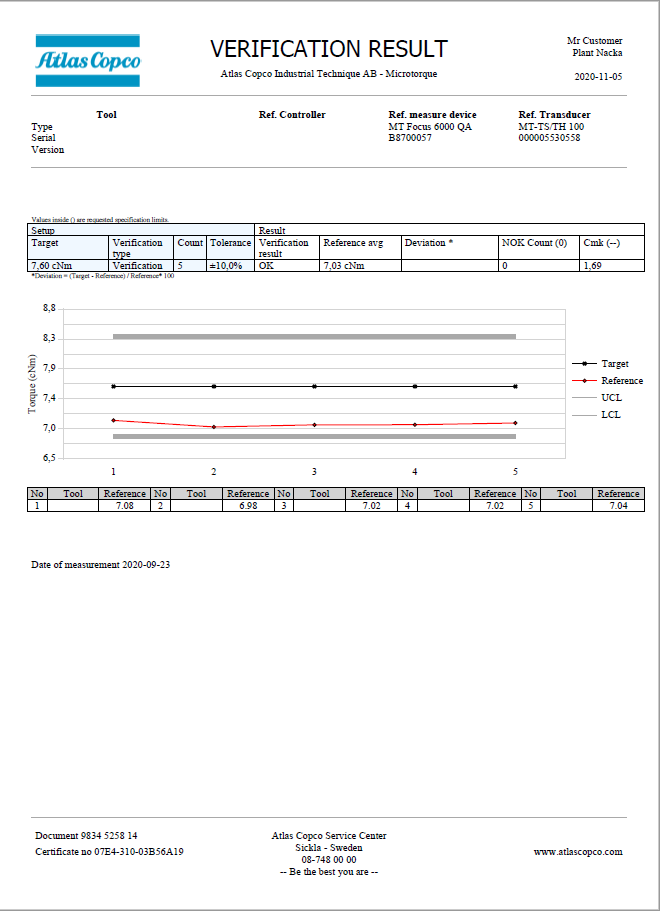
Example of Verification Report 
Example of FreeRun Report









































