Searching for Results
On the Results pane, click on the Search button; the Measurements Search dialogue appears.
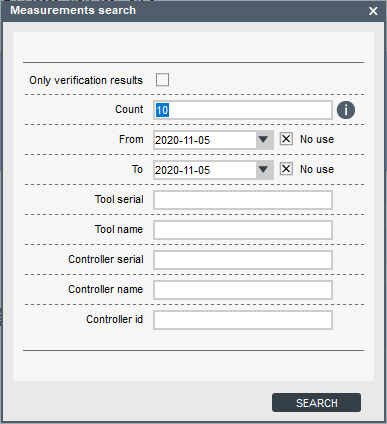
Parameter
Description
Only verification results
Selects only verification results and ignores ordinary measurements.
Count
Number of results found (1-100).
From - To
This parameter refers to the date in which the results were produced. Now users can ignore the date in the search.
Tool serial
Searches for verifications made on a tool with “ToolSerial” serial.
Tool name
Searches for verifications made on a tool with “ToolName” name.
Controller serial
Searches for verifications made with a controller with “ControllerSerial” serial.
Controller name
Searches for verifications made with a controller with “ControllerName” name.
Controller id
Searches for verifications made with a controller with “ControllerId” id.
Insert the relevant information for the search in the boxes.
Click on Search.









































